

How to Make a SEPA Transfer?
Important: When paying Altcoins.bg by bank transfer, always use the bank details shown in your current order. Do not use an IBAN or other payment details copied from an old article, screenshot, email, or previous order.
SEPA transfers in euro: how they work and how to make one
SEPA is a Europe-wide system for bank transfers in euro that allows you to send EUR between banks in SEPA countries under a common set of rules.
Depending on your bank, you may see a standard SEPA Credit Transfer or SEPA Instant, which can deliver the funds within seconds.
If you are paying for an order with Altcoins.bg, you do not need to remember our bank details. Create your order and use the exact IBAN, beneficiary name, payment reference, and other details shown in it.
ON THIS PAGE
What is a SEPA transfer?
SEPA (Single Euro Payments Area) is a system for bank payments in euro that covers European Union countries and other participating European countries.
To make a SEPA transfer, you will usually need the beneficiary’s IBAN, the beneficiary’s name, the amount in EUR, and a payment reference where required.
For the user, the process is not significantly different from making an ordinary bank transfer. In your online banking, select a transfer in EUR or SEPA and enter the required details.
What is the difference between SEPA and SEPA Instant?
Both types of transfer are made in euro. The main difference is how they are processed and how quickly the funds arrive.
| Type | How it works | What to expect |
|---|---|---|
| SEPA Credit Transfer | Standard bank transfer in EUR | Processing depends on the banks, the time the transfer is submitted, any required checks, and business days. |
| SEPA Instant | Instant bank transfer in EUR | When supported by the participating banks, the funds can reach the beneficiary within seconds, 24/7. |
With SEPA Instant, you do not have to wait until the next business day simply because you submit the transfer in the evening or at the weekend, provided that both the sending and receiving banks support the service.
Under the applicable European rules, the fee for a SEPA Instant transfer must not be higher than the fee for the corresponding standard credit transfer in euro.
Banks also use Verification of Payee — a check that compares the beneficiary name you entered with the IBAN. If you receive a mismatch warning, check the details again before confirming the transfer.
How to make a SEPA transfer step by step
About the images below: they are illustrative examples from the online banking platforms of Fibank and DSK Bank. The names, fields, and layout may differ in your bank. Do not copy any bank details from the images.
Open your online or mobile banking
Select a new bank transfer in EUR. Depending on your bank, the option may be labelled SEPA, euro transfer, or international transfer in EUR.
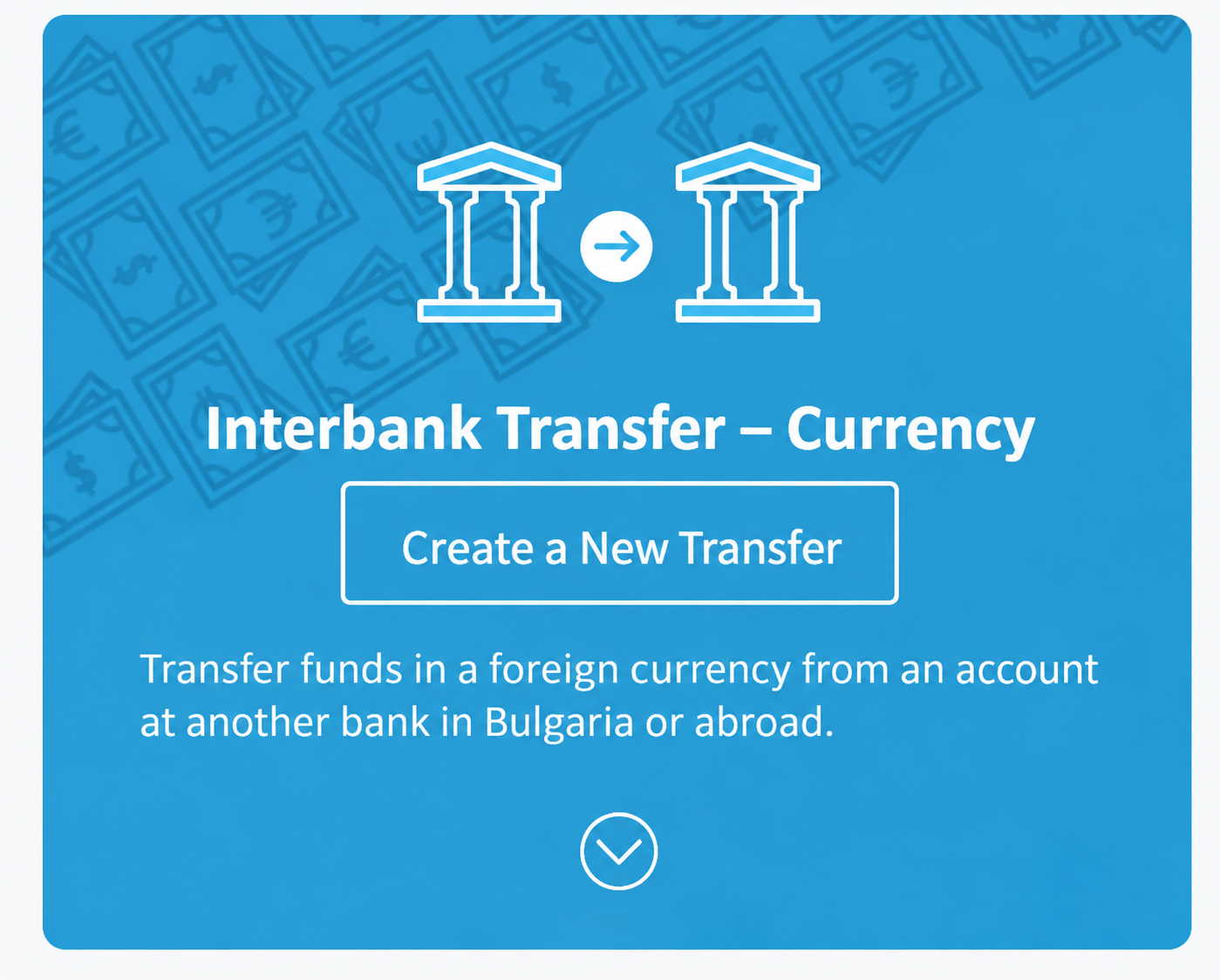
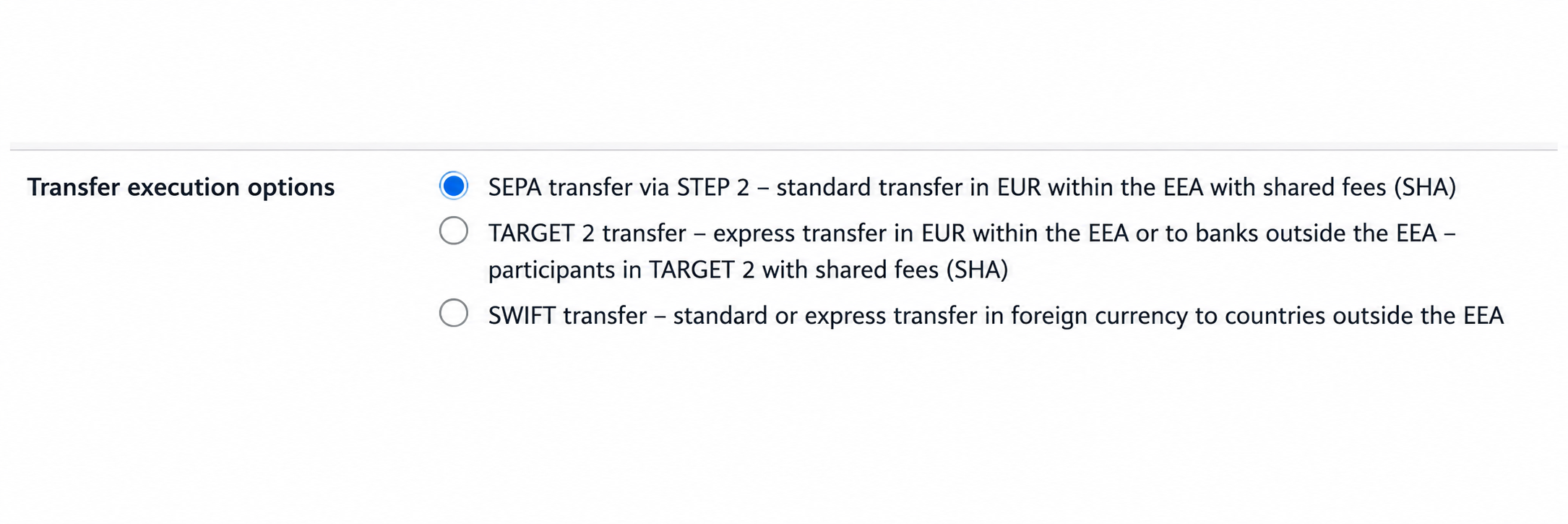
Example interface: look for a transfer in EUR or SEPA.
Enter the IBAN
Copy the IBAN directly from the current payment instructions and check it carefully before continuing.
Enter the beneficiary details
Enter the beneficiary name exactly as shown in the instructions. If your bank displays a Verification of Payee warning, do not ignore it — check the name and IBAN again.
If the interface asks for the beneficiary’s address or country, a BIC/SWIFT code, or bank details, use only the information shown in the current order and follow your bank’s instructions. Do not determine the country from an old screenshot alone.
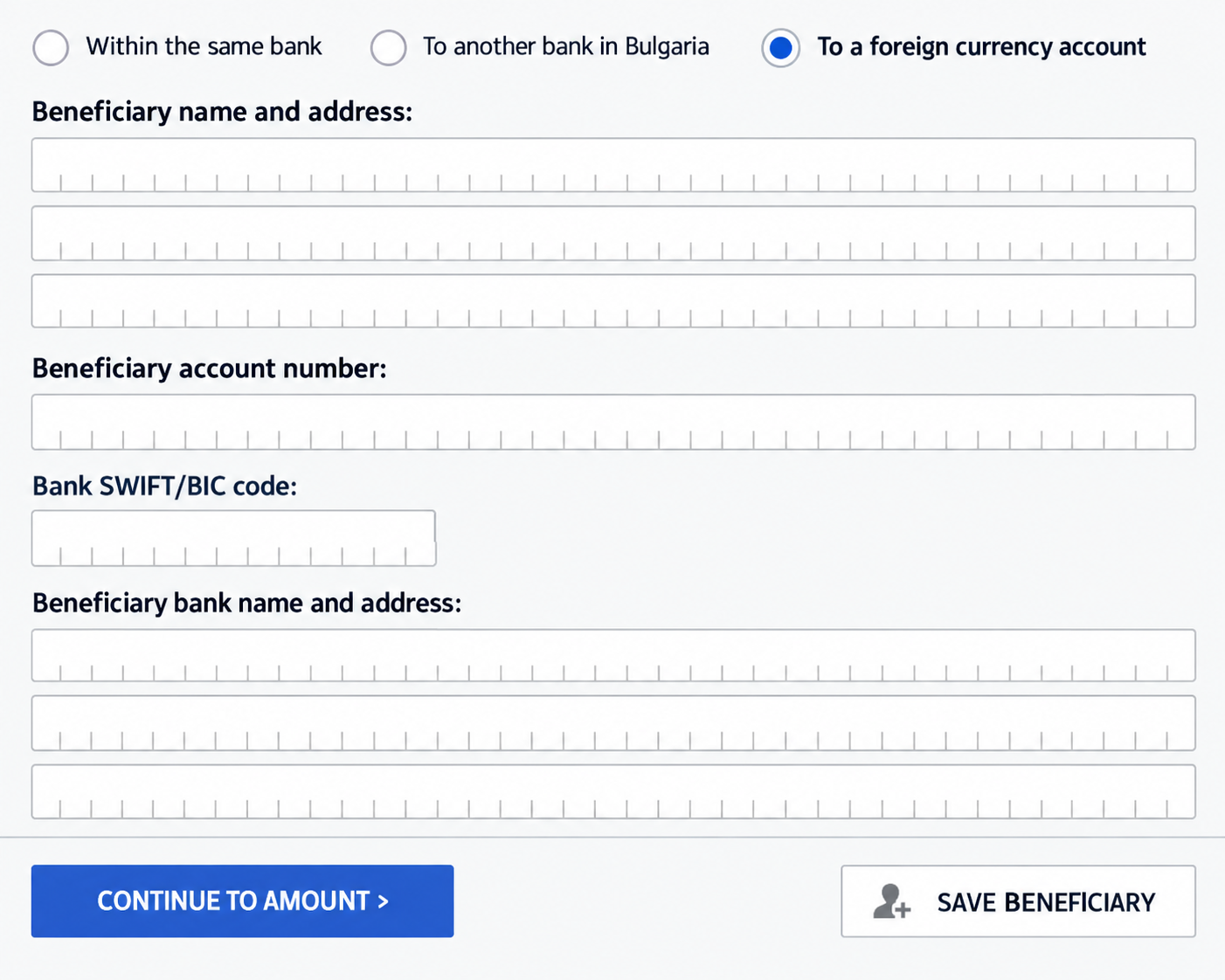
Example of entering beneficiary details. Use the payment details from your current order.
Enter the amount and payment reference
Enter the exact amount and select EUR as the currency.
If a specific payment reference is provided, enter it exactly as shown. This helps match the payment to the correct order.
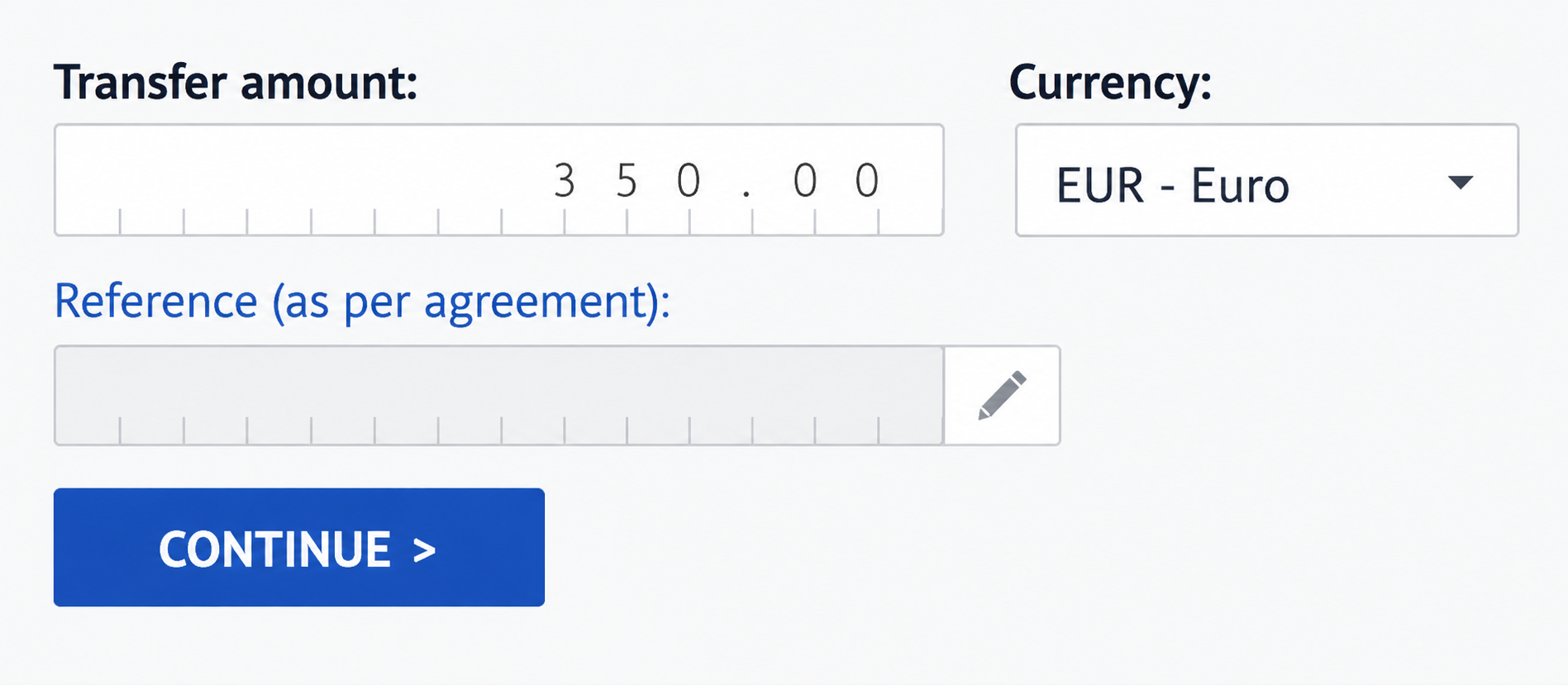
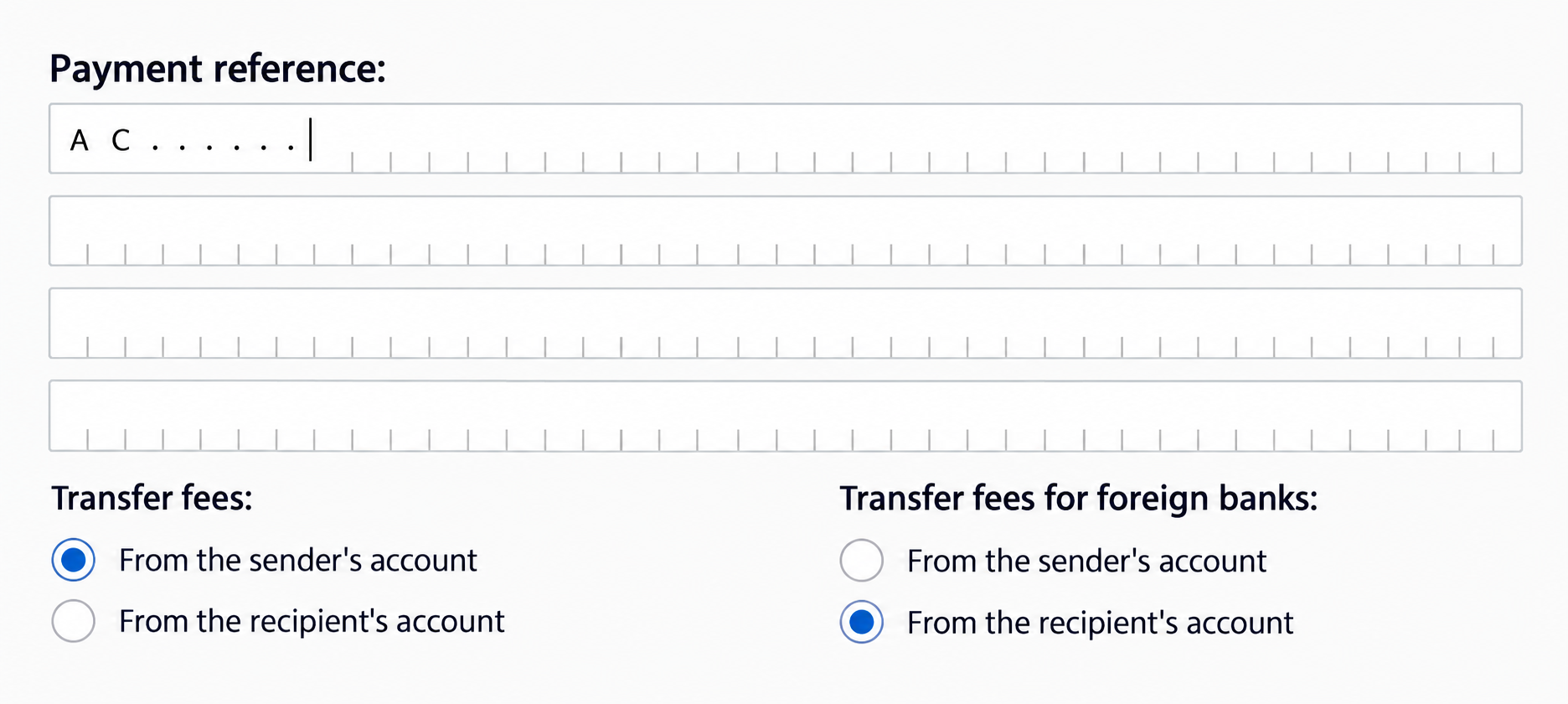
Example amount and payment-reference fields. Check that the currency is EUR.
Choose a standard or SEPA Instant transfer
If your bank offers SEPA Instant and the transfer meets the service requirements, you can select this option. Otherwise, use a standard SEPA transfer.
Review and confirm
Check the amount in EUR, the IBAN, the beneficiary name, and the payment reference once more. Then confirm the transaction using your bank’s authentication method.

Confirm the transfer only after checking all the details.
When your bank requires additional details
Some banks display additional fields for the beneficiary bank’s details. Use the current instructions from your order. The following image only shows where this type of information is usually entered.
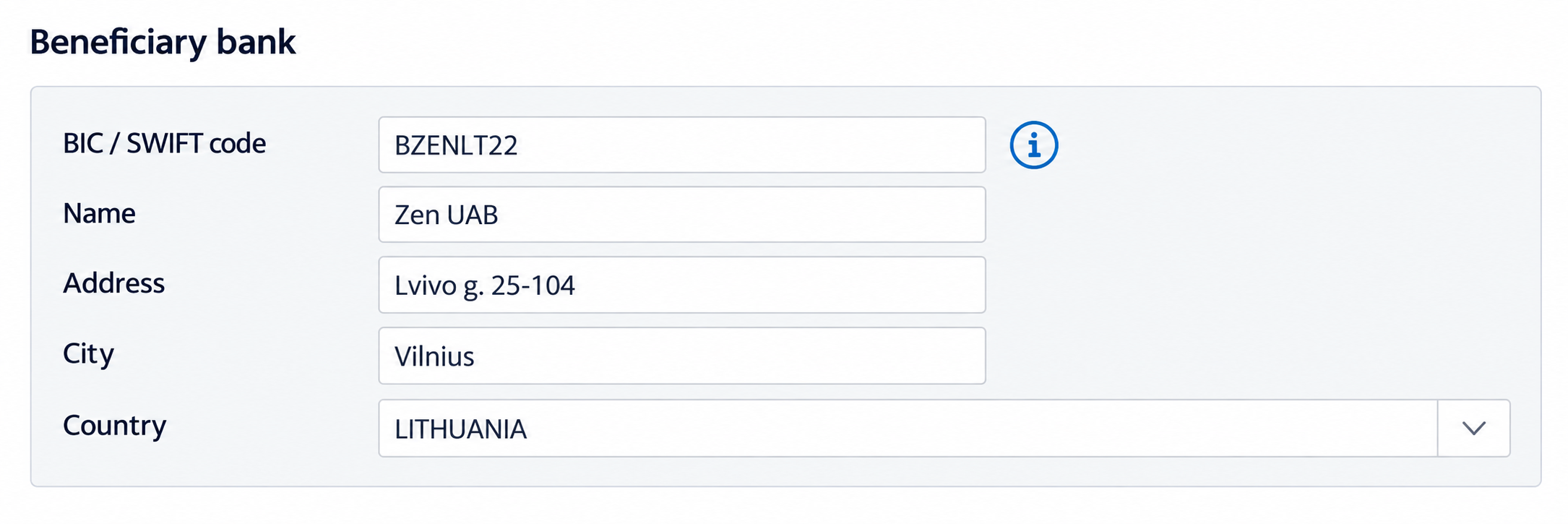
Illustrative example — do not use the image as a source of bank details.
How do you pay for an Altcoins.bg order by bank transfer?
First, create your order on Altcoins.bg. Then use only the bank details shown in that specific order.
There you will find the information required for the payment, including the IBAN, beneficiary name, and payment reference where applicable.
We do not publish a permanent IBAN in this guide because bank details and payment-processing routes may change.
DO NOT SEND MONEY USING DETAILS FROM AN OLD SCREENSHOT
If the bank details in an old article, email, screenshot, or previous order differ from those in your current order, use the details from your current order.
If you are unsure, do not submit the transfer until you have checked the information with the Altcoins.bg team.
The most common SEPA transfer mistakes
Wrong currency
SEPA transfers are made in euro. Check that you have selected EUR, especially if your account supports more than one currency.
Incorrect IBAN
Copy the IBAN directly from the current instructions instead of typing it manually, and check it before confirming.
Missing or incorrect reference
If the order includes a specific payment reference, enter it exactly. This may be important for identifying your payment correctly.
Paying from someone else’s account
Before paying from another person’s account, check the payment terms and the requirements regarding the bank-account holder.
Ignoring a warning
If your bank warns that the beneficiary name and IBAN do not match, do not confirm automatically. Check the current instructions.
Assuming every transfer is instant
The relevant banks must support the service, and the transaction must meet its requirements. Otherwise, the transfer may be processed as a standard SEPA transfer.
Frequently asked questions about SEPA transfers
Is SEPA only for euro?
Yes. SEPA Credit Transfer and SEPA Instant are used for bank transfers in euro.
What is SEPA Instant?
SEPA Instant is a system for instant bank transfers in euro. When supported by the participating banks, the funds can reach the beneficiary’s account within seconds, including outside normal banking hours.
Do I need a BIC/SWIFT code?
For many SEPA transfers, the IBAN is the main account identifier. However, your bank may display additional fields. When paying Altcoins.bg, follow the bank details in your current order and the requirements shown in your bank’s interface.
Can I use an old Altcoins.bg IBAN?
Do not rely on an IBAN from an old order, article, screenshot, or email. Use the bank details from your current order.
Why does my bank show a beneficiary mismatch?
Verification of Payee compares the beneficiary name with the IBAN you entered. If you receive a warning, check that you have copied the details from your current order correctly before continuing.
How long does a standard SEPA transfer take?
Processing time depends on the sending and receiving banks, the time the transfer is submitted, any required checks, and business days. If the transfer is urgent, check which options your bank offers.
ALTCOINS.BG
Buy crypto-assets by bank transfer in euro
Create your order on Altcoins.bg and use the current bank details shown directly in it.
With Altcoins.bg, you can buy, sell, and exchange more than 100 crypto-assets through a Bulgarian platform with a MiCA licence and Bulgarian-language support.
Author: The Altcoins.bg Team · Last updated: 16 September 2026
Sources: European Payments Council — SEPA Instant, EUR-Lex — Regulation (EU) 2024/886, European Central Bank — Instant Payments Regulation.